 Chat with us
10 Node.js Performance Problems That Slow Down Production Apps
Node.js is widely used for real-time applications, APIs, SaaS platforms, eCommerce systems, and high-traffic web applications because of its event-driven, non-blocking architecture. But choosing Node.js does not automatically guarantee fast application performance.
As traffic, database activity, API requests, background jobs, and application complexity increase, production systems can develop performance bottlenecks. Some problems are easy to identify, while others remain hidden until response times increase or users start experiencing slow pages and failed requests.
If you are using Node.js for a business application, understanding these performance problems can help your development team identify bottlenecks before they become expensive production issues.
1. Blocking the Node.js Event Loop
Node.js handles many operations through a single main event loop. CPU-intensive or synchronous operations can block that loop and prevent other requests from being processed efficiently.
Large calculations, synchronous file operations, complex data processing, and inefficient loops can cause this problem.
Use asynchronous APIs wherever possible and move heavy CPU workloads to worker threads, background services, or separate processes when appropriate.
2. Inefficient Database Queries
Database performance is one of the most common causes of slow Node.js applications.
Queries that scan large datasets, missing indexes, unnecessary joins, and repeated database requests can significantly increase API response times. The Node.js layer may appear healthy while the database becomes the actual bottleneck.
Developers should monitor slow queries, review execution plans, use appropriate indexes, and retrieve only the data required by each request.
3. Excessive API Calls
A Node.js application may depend on multiple internal and external APIs. Calling several services sequentially can increase overall response time.
For example, if an endpoint waits for four independent APIs one after another, the total response time can become much higher than necessary.
Where operations are independent, asynchronous execution can reduce unnecessary waiting. Caching frequently requested data can also reduce repeated API calls.
4. Poor Memory Management
Memory leaks and excessive object creation can gradually increase application memory consumption.
Long-running Node.js processes are particularly sensitive to memory-related problems. If unused objects remain referenced, garbage collection has to work harder, potentially increasing latency and eventually causing the application to become unstable.
Production monitoring should track memory usage, garbage collection activity, heap growth, and process restarts.
5. Large Payloads and JSON Processing
Sending or processing unnecessarily large JSON responses can affect both server and client performance.
Large payloads require more memory, serialization, parsing, network bandwidth, and processing time. This becomes particularly noticeable when APIs return large datasets.
Pagination, filtering, compression, streaming, and carefully designed response structures can help reduce payload-related performance issues.
6. Poor Caching Strategy
Repeatedly retrieving the same information from a database or external service wastes resources.
Caching can reduce database load and improve response times when used correctly. Depending on the application, developers may use in-memory caching, distributed caching, HTTP caching, or solutions such as Redis.
However, caching should include appropriate expiration and invalidation strategies. Outdated data can create functional problems even when the application appears faster.
7. Inefficient Error Handling and Logging
Logging is essential for production applications, but excessive or poorly designed logging can create unnecessary overhead.
Writing large objects, request payloads, or excessive debug information for every request can increase CPU, memory, storage, and I/O usage.
Production logging should focus on actionable information while allowing appropriate log levels and centralized monitoring.
8. Too Many Concurrent Connections
High traffic can create large numbers of simultaneous database, HTTP, or third-party service connections.
Without proper connection pooling and resource limits, an application can consume available resources and experience increased latency.
Connection pools should be configured according to application workload, database capacity, infrastructure resources, and expected traffic patterns.
9. CPU-Intensive Operations
Node.js performs well for I/O-heavy workloads, but CPU-intensive operations can create challenges when executed directly on the main event loop.
Image processing, encryption, complex calculations, data transformation, and large-scale file processing can consume CPU resources and delay other requests.
Worker threads, queues, background workers, or specialized services can help separate heavy processing from latency-sensitive API requests.
10. Lack of Production Performance Monitoring
A performance problem cannot always be identified by looking at application code alone.
Production monitoring should provide visibility into response times, throughput, error rates, CPU usage, memory consumption, database performance, event-loop latency, and external API dependencies.
Application Performance Monitoring can help development teams identify which endpoint, service, database query, or operation is responsible for increased latency.
How to Improve Node.js Application Performance
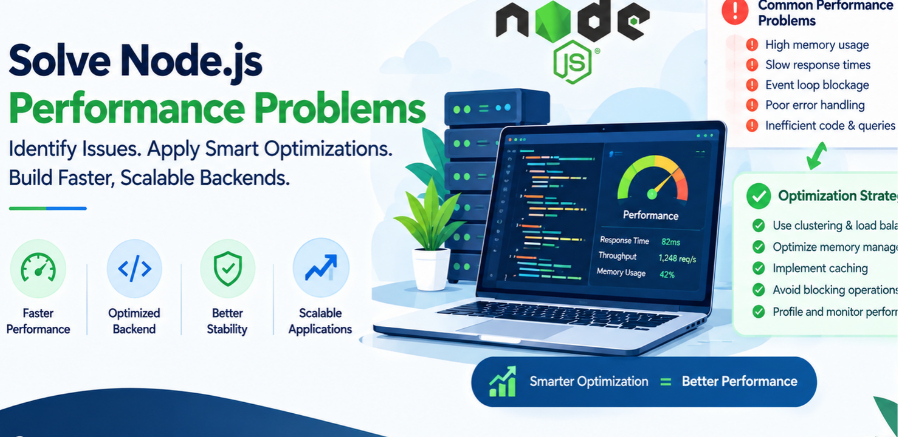
Node.js performance optimization should begin with measurement rather than assumptions. Start by identifying slow endpoints and analyzing application metrics, database queries, infrastructure usage, and event-loop behavior.
Useful optimization techniques include:
- Profiling CPU and memory usage
- Optimizing database queries and indexes
- Introducing appropriate caching
- Reducing API payload sizes
- Using asynchronous operations
- Moving CPU-heavy workloads to workers
- Implementing connection pooling
- Using pagination for large datasets
- Optimizing external API communication
- Monitoring production performance continuously
The right optimization strategy depends on the application's architecture, traffic patterns, database, infrastructure, and business requirements.
When Should You Consider Node.js Performance Optimization?
Performance optimization becomes particularly important when users experience increasing response times, API timeouts, high server resource consumption, database overload, or inconsistent application performance during traffic spikes.
For startups and growing businesses, addressing these issues early can also make future scaling easier. A well-structured Node.js backend can support increasing workloads without requiring unnecessary architectural changes.
Final Thoughts
Node.js can provide excellent performance for modern web and backend applications, but production performance depends on how the application is designed, developed, deployed, and monitored.
Blocking the event loop, inefficient database queries, excessive API calls, memory problems, large payloads, poor caching, and CPU-heavy operations are among the issues that can gradually reduce application performance.
If your existing Node.js application is becoming slower as users and data increase, a structured performance audit can help identify the actual bottlenecks before investing in major infrastructure changes.
For businesses planning a new application or optimizing an existing backend, professional Node.js development services can help with application architecture, performance optimization, API development, scalability, and long-term backend maintenance